Customer Order Portal: every order, in plain sight
- Role
- Creator
- Year
- 2026
- Tools
- Proprietary stack
Overview
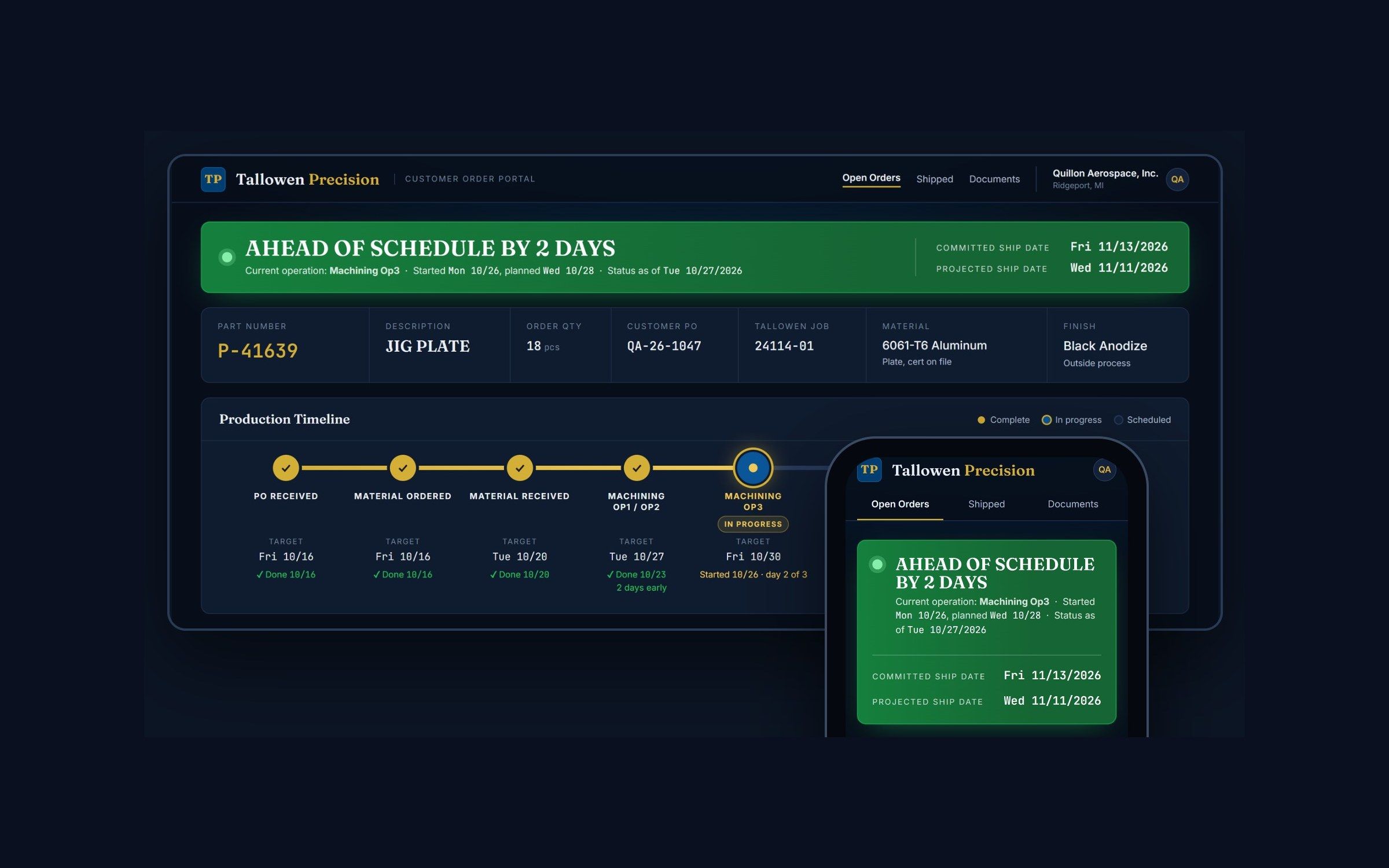
A live status page per job for customers and the team, fed from the ERP, with schedule health that updates itself and nothing shown until the shop publishes it.
Problem
Every customer asks the same question, and the shop answered it one call at a time.
A buyer needs a ship date for their own schedule, so they call or email. Someone stops what they are doing to answer, digs through ERP screens, the traveler, or a walk to the machine, and sends an answer back by hand. It is already aging when it lands, and the same question comes back next week. Multiply that by every open job and it is a real share of a planner’s year spent on status.
Approach
Turn production data the shop already has into one live page per order that customers can check whenever they like, and keep the shop in control of what they see.
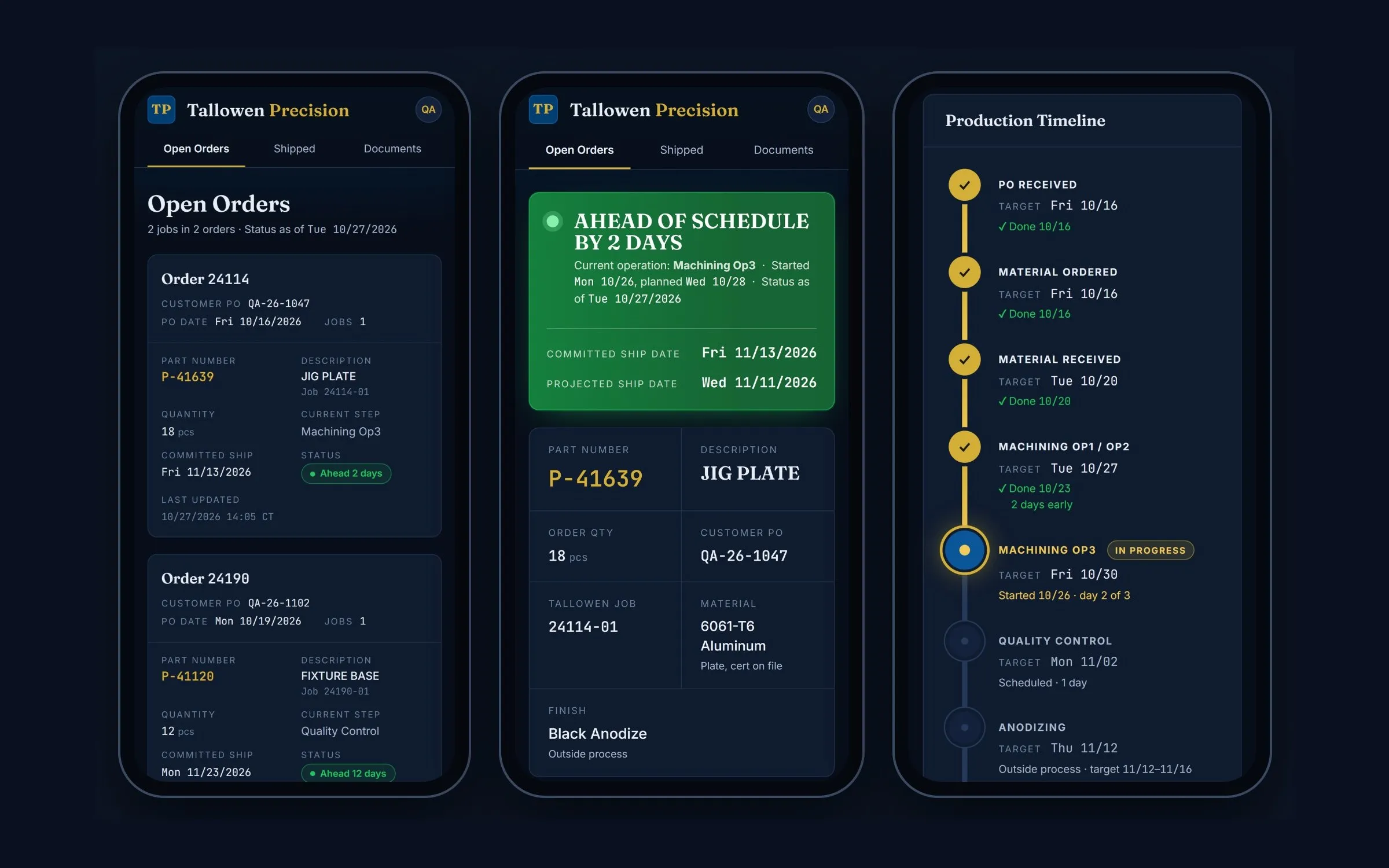
A sync agent on a PC inside the shop’s network reads the ERP every fifteen minutes, read-only, and only the jobs the shop has enrolled plus the customer list. Price, cost, margin, and labor data are never selected, sent, or stored. The portal runs in the cloud over HTTPS; customers sign in by invitation on a desktop or a phone with no app to install, and the database itself enforces that each customer sees only its own jobs.
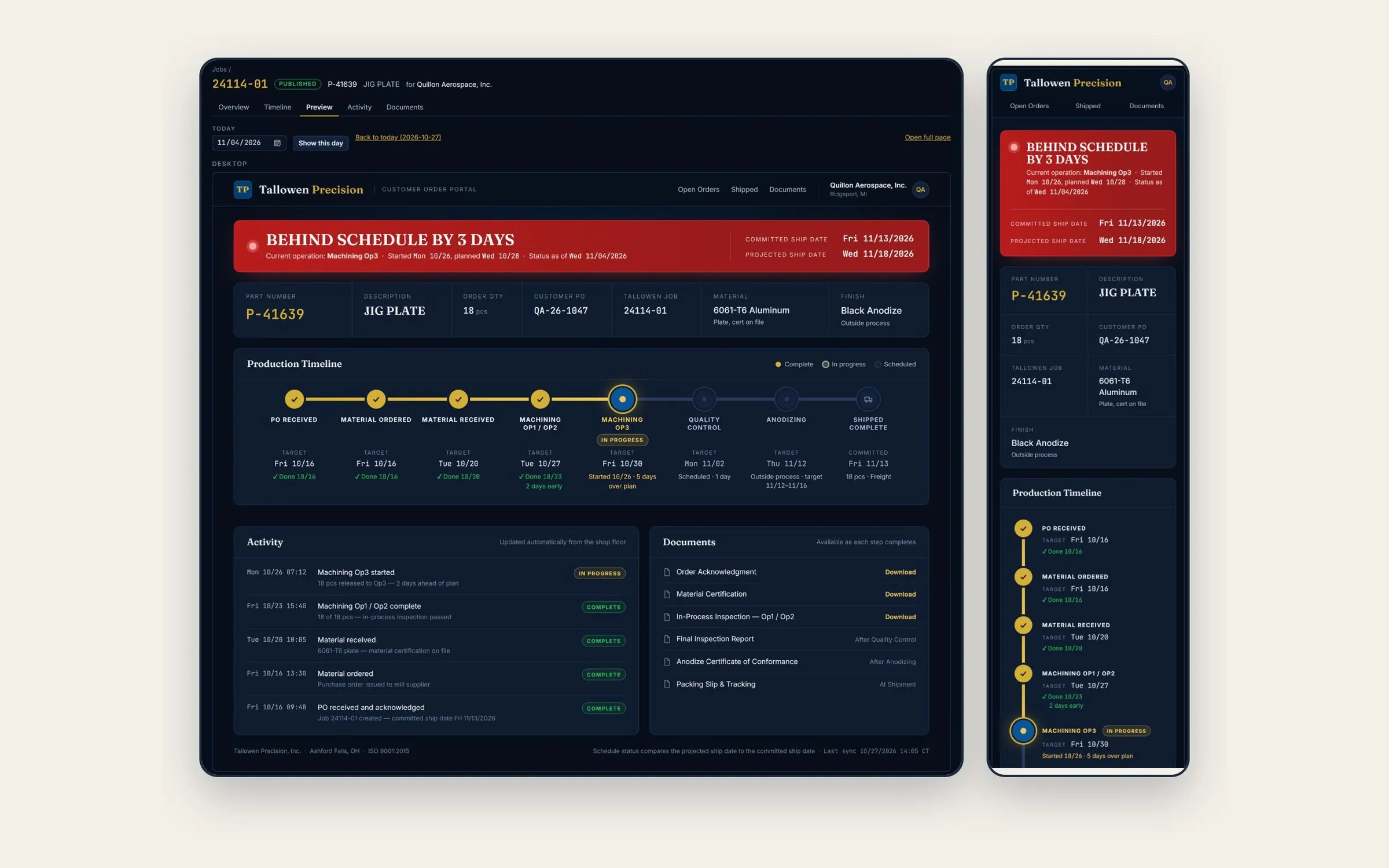
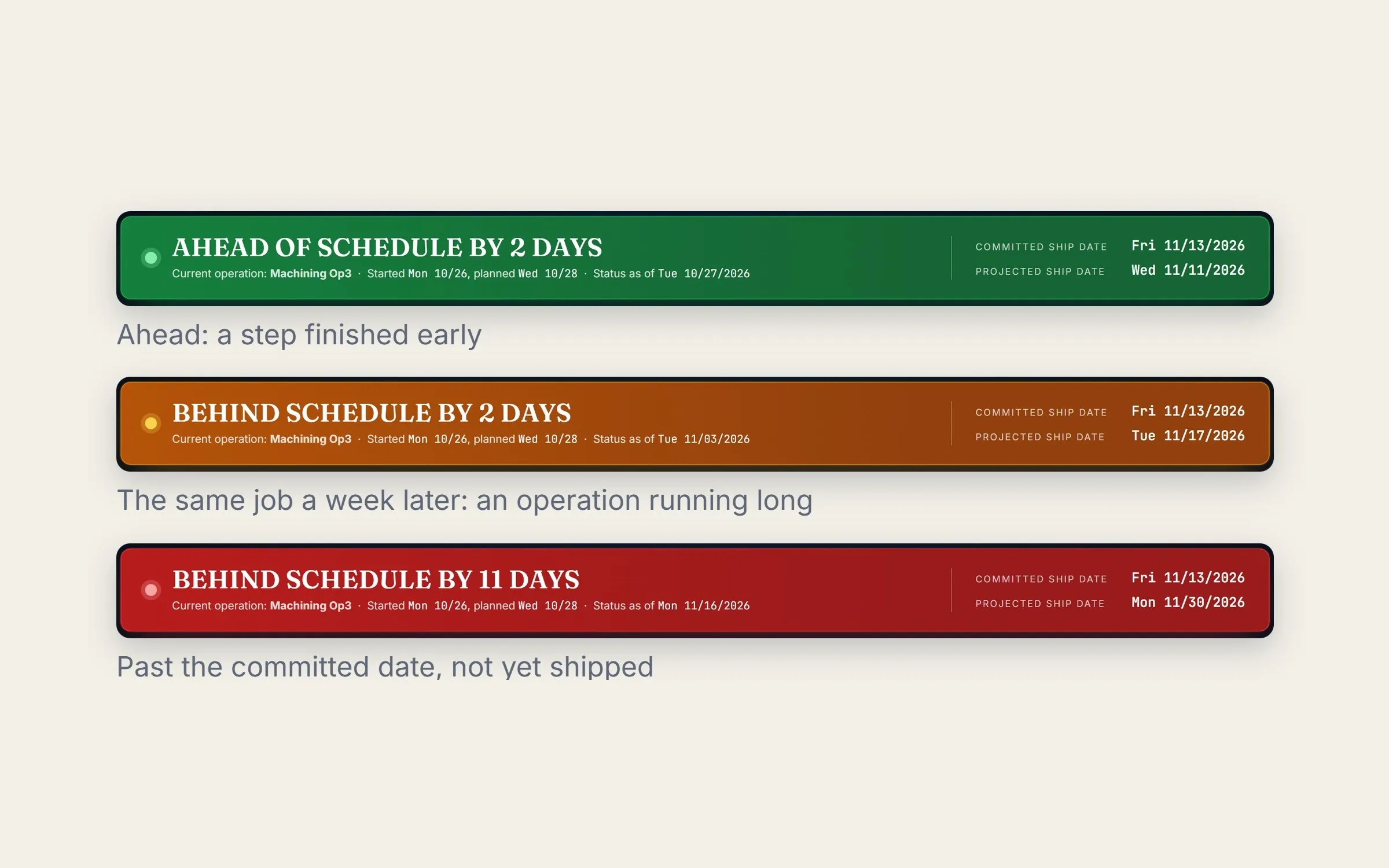
Each order page shows a status banner, the order details in the customer’s words, a production timeline with each step’s target and actual date, an activity feed posted automatically as production moves, and the certificates and reports the shop chooses to post. Schedule health is recalculated continuously against the committed date: green on or ahead, amber a few workdays behind, red beyond that or past due. When a step runs long or sits idle, the projected date moves on its own, so the customer sees trouble early and so does the shop.
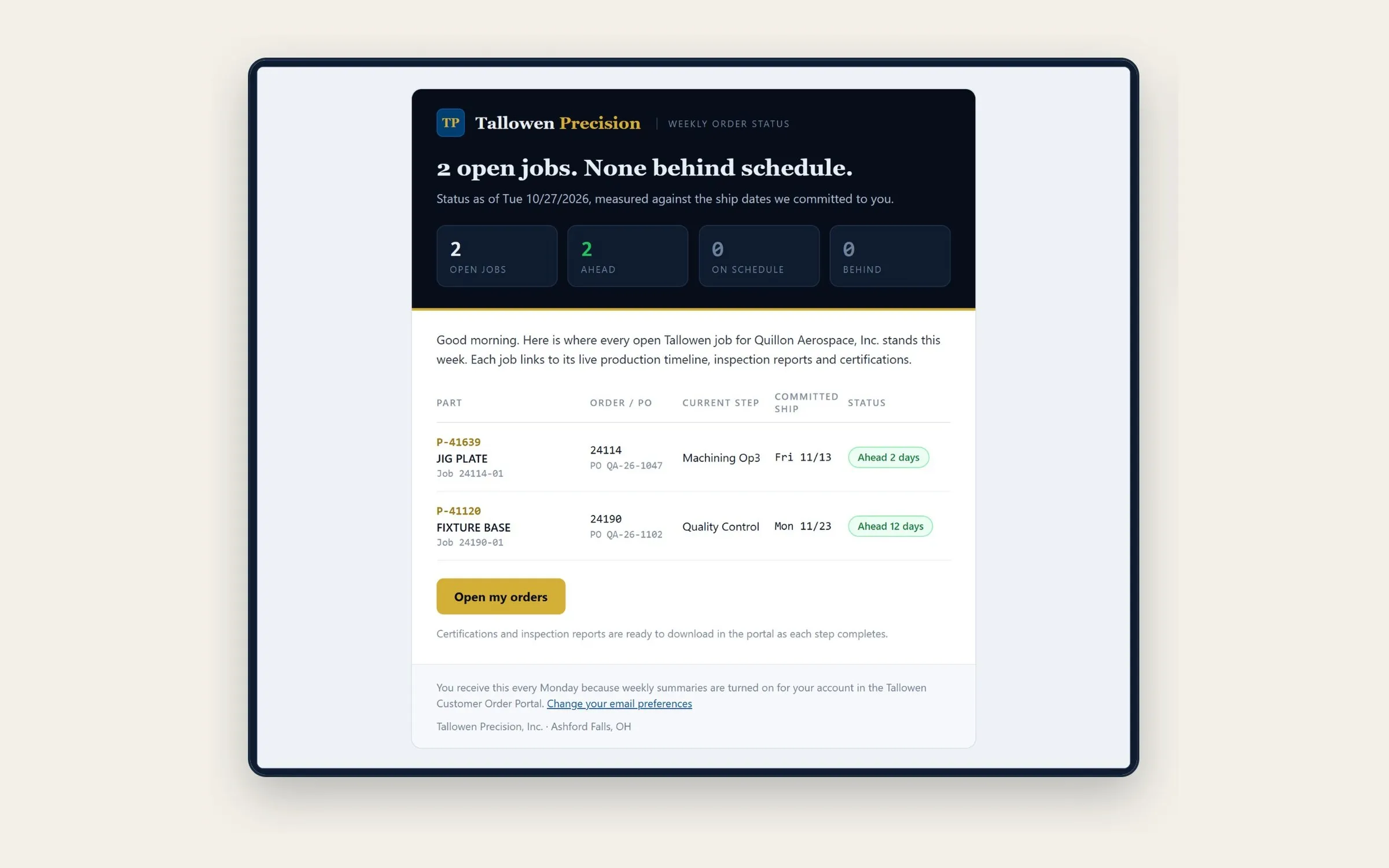
Nothing reaches a customer until the shop publishes it. The team enrolls a job, the sync fills it, and a timeline builder turns shop codes into customer words: rename, merge, split, hide internal steps that still count in the schedule, add manual ones. Any field can be overridden, and the ERP value stays beside it with a one-click reset and a log of who changed what. A what-if preview shows the customer’s page on any date, at both widths, so a slip can be rehearsed before the call. Every open job for a customer goes out in a Monday summary email, with opt-in alerts when a step completes, and never pricing or projected dates.
Outcome
| Metric | Result |
|---|---|
| Source | ERP, read-only, refreshed every 15 minutes |
| Customer view | Desktop and phone, no app |
| Schedule health | Green, amber, red; recalculated continuously |
| Pricing data | Never selected, sent, or stored |
Customers get an honest answer before they ask, and the people who used to chase status are back on the floor.
Status questions are answered 24 hours a day by the page instead of by a person. Slips are flagged amber or red while there is still time to fix them instead of being discovered on ship day. The weekly status report writes itself every Monday. Certificates and inspection reports are downloadable the moment they are posted instead of being requested and re-sent by email. Internally, every job has one projected ship date instead of a guess assembled from ERP screens, inboxes, and memory.
What it is not: a window into the ERP. The sync never writes back, drafts and hidden steps never reach a customer, and export-controlled customers get no documents at all.
Gallery
-
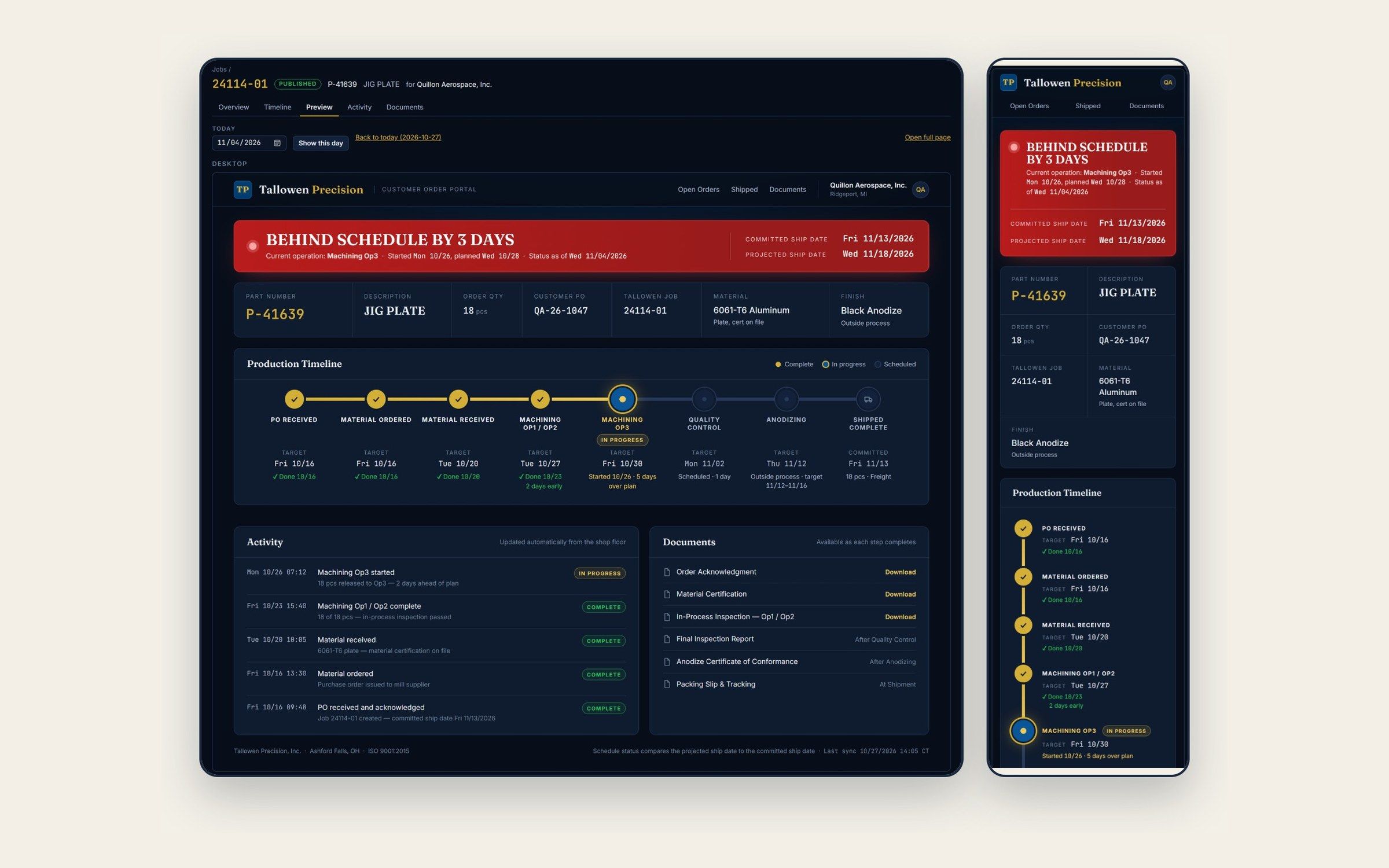
4.0 The customer's page, previewed on any date. Roll the date forward and the banner changes before the customer ever sees it. Image -
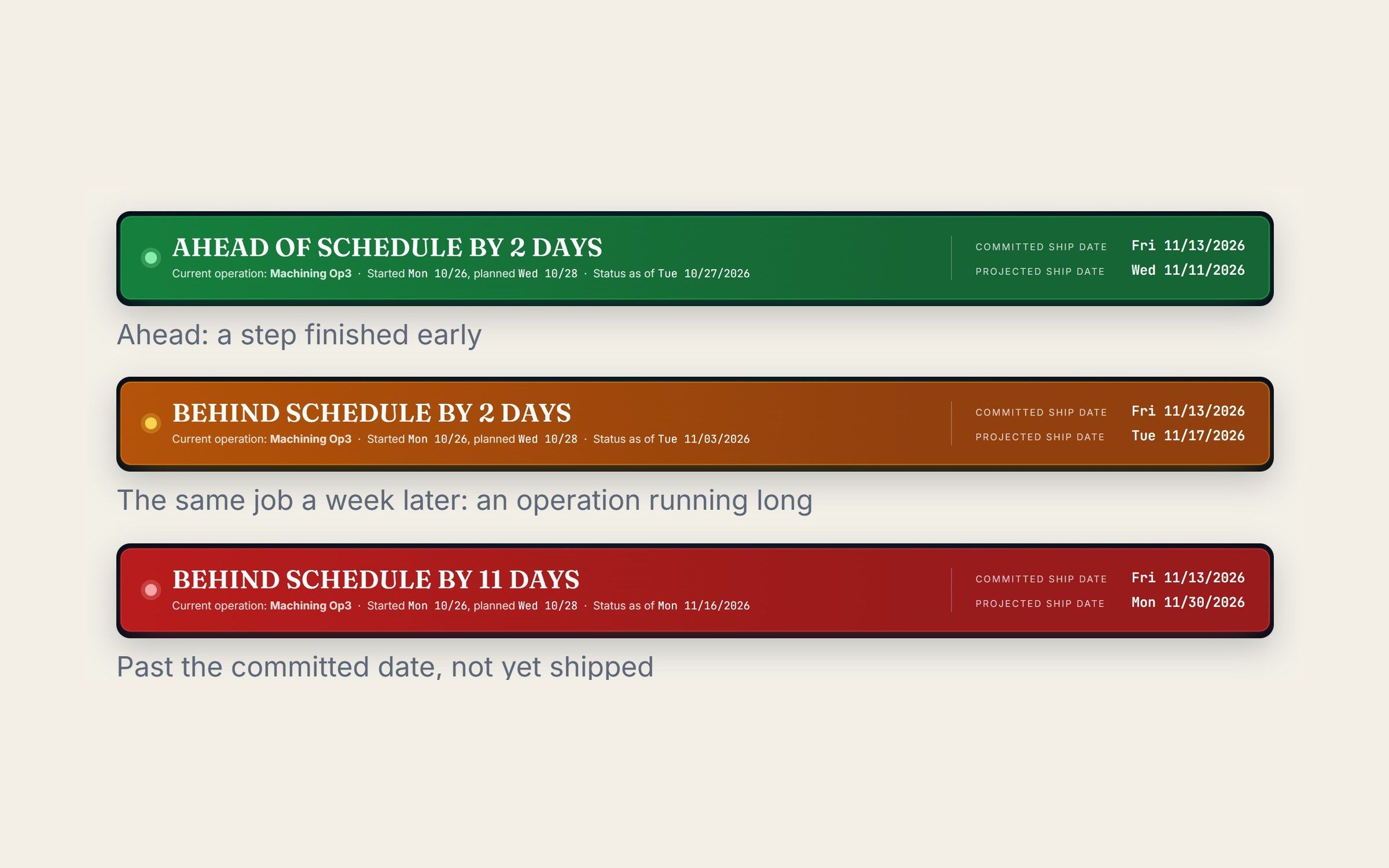
4.1 Schedule health that tells the truth on its own, recalculated continuously against the committed date with thresholds the shop sets. Image -
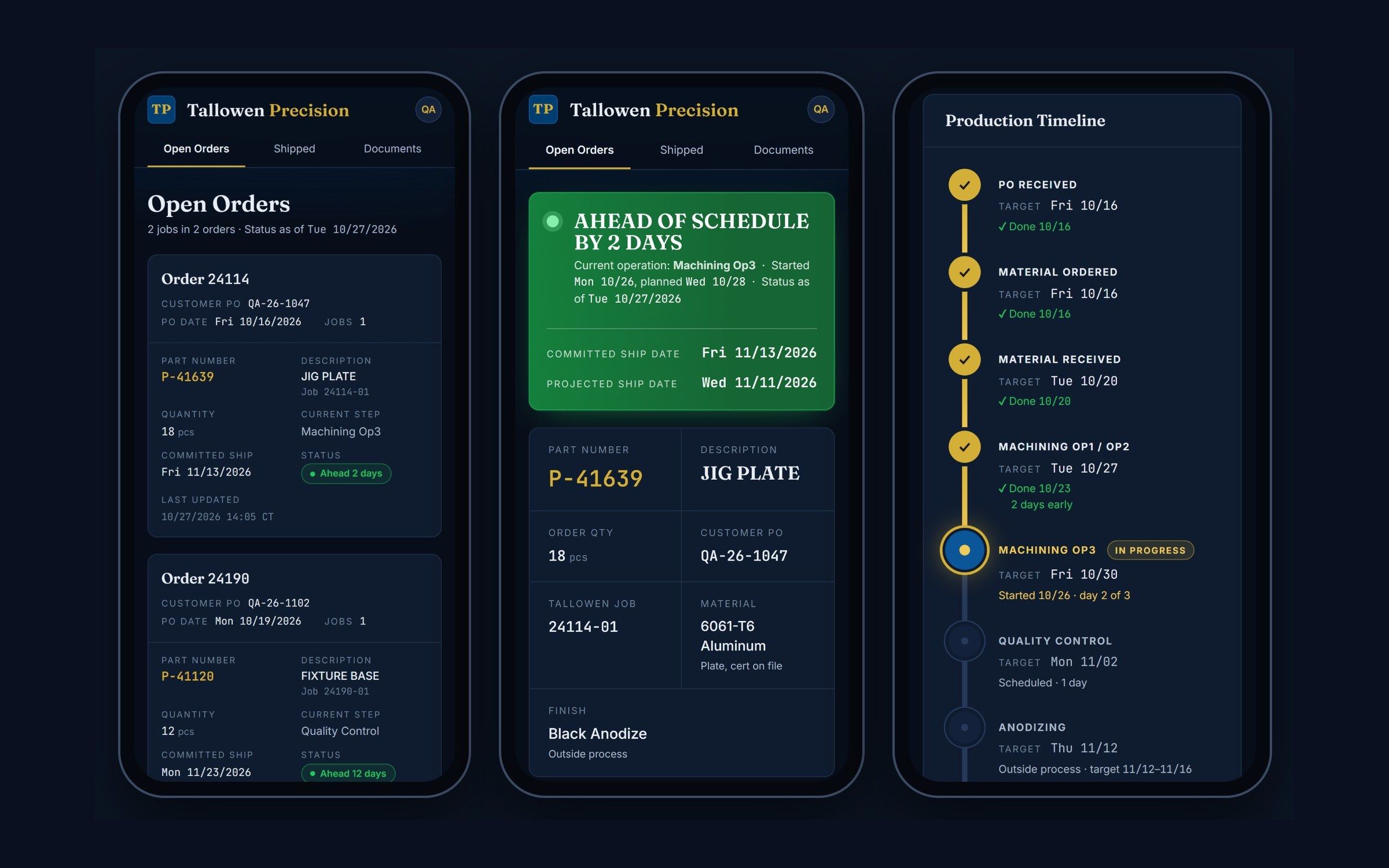
4.2 Built for the phone in a buyer's pocket. Status first, then the details and the timeline. Image -
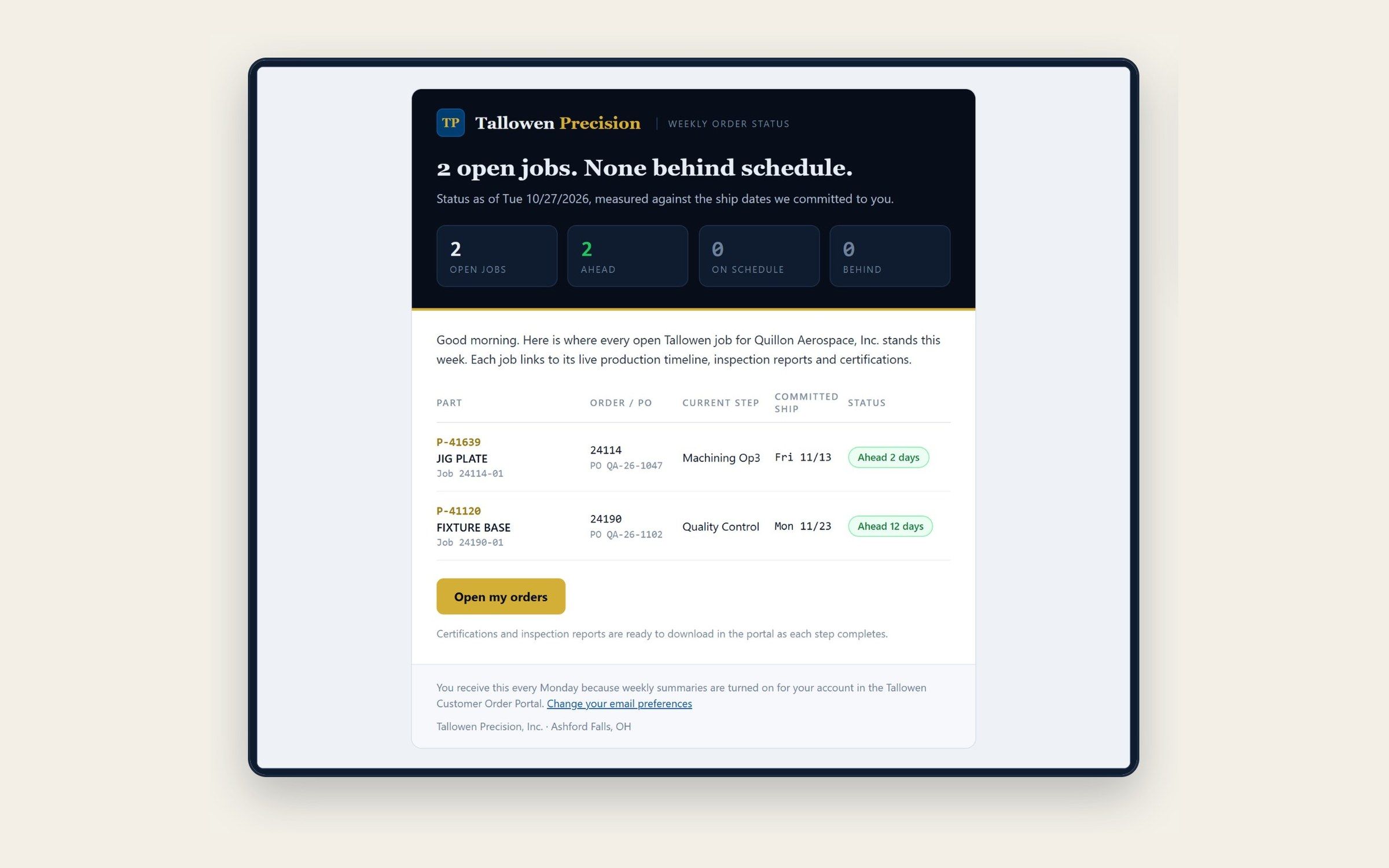
4.3 The Monday summary writes itself, every open job for a customer in one email, never pricing or projected dates. Image